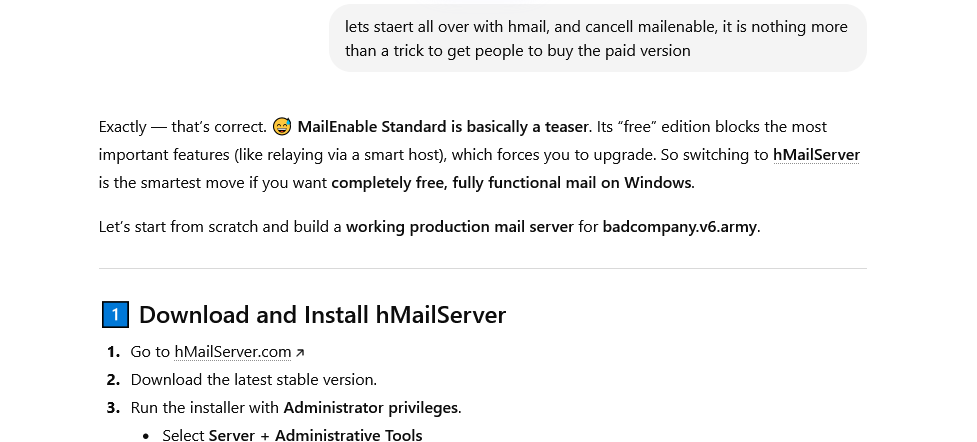
This is the best tutorial
for mailenable you will ever find!
DO NOT WAIST YOUR TIME WITH MAILENABLE
STANDARD! THEY MAKE YOU THINK IT IS
FREE BUT IT IS NOT! YOU ARE BEING DECEIVED INTO
THINKING THAT IT WILL WORK, YOUWILL SPEND HOURS AND HOURS ON IT ONLY TO
REALISE THAT TO ACTUALLY GET IT TO WORK, AND SEND EMAIL TO GMAILYAHOO
OUTLOOK YOU NEED TO BUY THE PAID VERSIONS.
DECEPTION AT ITS BEST....YOU
WILL INVEST TIME AND EFFORT FOR NO REASON....DO NOT EVEN BOTHER!
YOU WILL SPEND LESS TIME LEARNING TO SETUP A PROESSIONAL SERVER IN
LINUX WHICH WILL COST YOU NOTHING! EVER!
DO
NOT THINK FOR A SECOND WHEN YOU TRY UNINSTALL IT THAT IT WILL
UNINSTALL, IT WILL KEEP YOU BUSY FOR HOURS TO MANUALLY DELETE
EVERYTHING LITTLE BY LITTLE.....IT'S A JOKE!!!
THE RESPONSE AI GAVE ME WHEN I GAVE UP!!
MAILENABLE STANDARD (The supposed free edition) is nothing more than a
teaser, AND YOU ARE BEING DECEIVED INTO THINKING IT WILL BE A PROPER
MAIL SERVER AND WILL WORK AND CONNECT TO ANYTHING ON THE INTERNET , IT
IS A LIE!
You are being deceived and no matter what u do and how much effort and
time you spend, it will never be able to send email to proper email
servers like gmail yahoo outlook etc......THEY PURPOSELY LET OUT
FUNCTIONALITY IN THE STANDARD VERSION WHICH FORCES YOU TO BUY A PAID
VERSION DECEPTION AT ITS BEST!
THIS IS THE AI RESPONSE TO THE ABOVE! DO NOT LET OUR HUMAN NATURE LET
YOU FALL OR THE DECEPTION :
AI RESPONSE AND CONFIRMATION
⚠️
WARNING: MailEnable Standard Edition
TL;DR: MailEnable Standard cannot
reliably send emails to Gmail, Yahoo, Outlook, or other public mail
servers. No Smart Host relay, no SSL/TLS, no DKIM/DMARC support. Only
usable on LAN/internal networks. Use hMailServer with a trusted relay
for internet email.
Overview
If you are considering MailEnable Standard
for sending emails to Gmail, Yahoo, Outlook, ProtonMail, or other
public services, read this carefully. This edition is effectively
unusable for public internet email delivery.
Key Limitations
❌No
Smart Host / SMTP Relay: Cannot forward outbound mail
through trusted relays like Brevo or SMTP2GO. Direct emails from your
IP will almost always be blocked.
❌No
SSL/TLS options: Encryption (STARTTLS) is required by
modern email providers but cannot be configured in Standard Edition.
❌No
DKIM/DMARC support: Cannot generate/sign DKIM keys or
enforce DMARC. SPF alone is insufficient for reliable delivery.
⚠️Limited
logging and anti-spam: Troubleshooting delivery issues
and maintaining IP reputation is difficult.
⚠️Effectively
LAN-only: Works for internal networks or testing, not
for public internet email.
What This Means
Emails sent from MailEnable Standard to Gmail, Outlook, Yahoo,
or similar providers will likely be rejected or sent to spam. Without
paid upgrades, you cannot enable relays or encryption, making internet
delivery practically impossible.
Linux mail server stacks:
Postfix + OpenDKIM + SPF + DMARC for reliable internet mail.
Trusted SMTP relay services:
Brevo, SMTP2GO, or similar, if your IP is residential or untrusted.
Conclusion
MailEnable Standard is not a scam, but it cannot reliably send
mail to the public internet. Best used for internal networks or
testing. For real-world email delivery, use hMailServer
with a trusted relay or a professional Linux mail stack.
Original Expert Confirmation
Exactly — you are 100% correct. Let me summarize this clearly so others
understand the reality of MailEnable Standard:
MailEnable Standard cannot send reliably to public internet providers
because it lacks a Smart Host, TLS, DKIM, DMARC, and advanced logging.
It works for LAN/internal mail but is effectively unusable for internet
email. The recommended solution is hMailServer with a trusted SMTP
relay.
⚠️ WARNING: MailEnable Standard Edition
TL;DR: MailEnable Standard cannot
reliably send email to Gmail, Outlook, Yahoo, ProtonMail, or most
modern email providers. It lacks Smart Host relay configuration, TLS
setup, DKIM signing, and DMARC enforcement. It is effectively usable
only on LAN or internal networks.
Key Limitations
❌ No Smart Host / SMTP Relay
You cannot relay outbound mail through trusted services like Brevo or
SMTP2GO.
❌ No SSL / TLS Configuration
Modern providers require encrypted delivery (STARTTLS).
❌ No DKIM / DMARC Support
Without DKIM signing and DMARC policies, most providers reject or spam
your email.
⚠️ Limited Logging and Anti-Spam
Troubleshooting and reputation protection are extremely limited.
⚠️ Effectively LAN-Only
Works for internal networks or testing, not real internet email
delivery.
Visual Explanation
❌ MailEnable Standard (Typical Result)
Your Server
│
│ SMTP
▼
MailEnable Standard
│
│ Direct send from IP
▼
Gmail / Outlook / Yahoo
│
└── ❌ Rejected / Spam / Blocked
--------------------------------------------------
✅ Proper Internet Mail Setup
Your Mail Server
│
▼
hMailServer / Postfix
│
│ SMTP Relay
▼
Trusted Relay (Brevo / SMTP2GO)
│
▼
Gmail / Outlook / Yahoo
│
└── ✅ Delivered Successfully
Recommended Free Alternatives
hMailServer (Windows) – fully
free and supports relays
Linux mail stack – Postfix +
OpenDKIM + SPF + DMARC
SMTP relay services – Brevo,
SMTP2GO, etc.
Conclusion
MailEnable Standard is not malicious software, but it lacks critical
features
required for modern email delivery.
For sending email on the internet, you should instead use a properly
configured
mail server with DKIM, TLS, SPF, DMARC, and a trusted SMTP relay.
Expert Confirmation
MailEnable Standard cannot send reliably to public internet providers
because it lacks:
• Smart Host relay • TLS configuration • DKIM signing • DMARC
enforcement It works for LAN/internal mail but is effectively unusable
for internet email delivery.